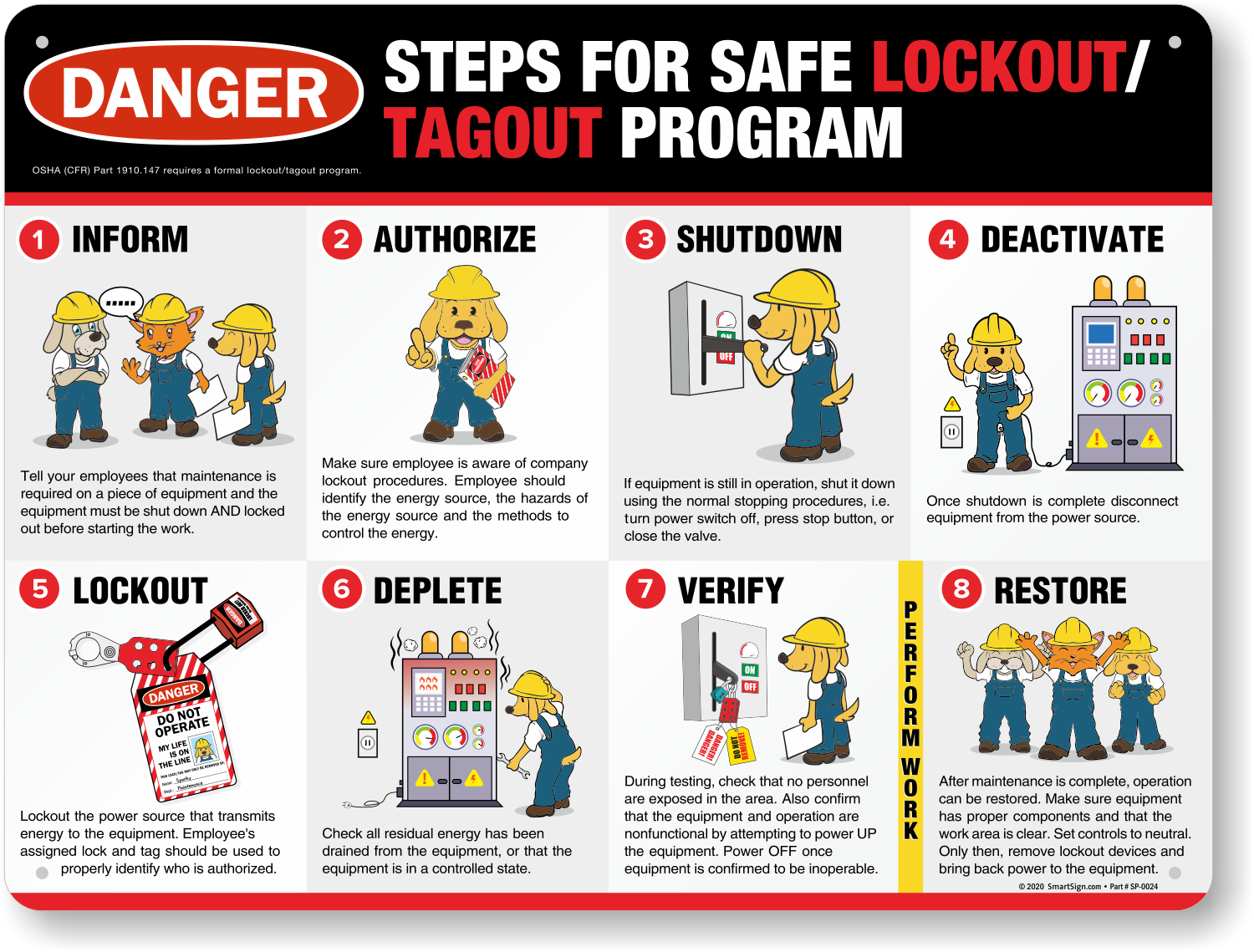
Every time a machine is serviced, the risk of unexpected startup looms. One missed step in energy isolation can lead to catastrophic injury. The lockout tagout log form isn’t just paperwork—it’s a legal and operational safeguard that documents who locked out equipment, when, why, and how it was verified safe. More than a checklist, it’s a real-time audit trail that bridges safety procedures with regulatory compliance.
Despite its importance, many facilities treat the LOTO log as an afterthought—filled out inconsistently or recreated from memory after the fact. This creates gaps that OSHA inspectors notice and that frontline workers pay for in risk exposure. A well-structured lockout tagout log form eliminates ambiguity, enforces accountability, and provides verifiable proof of due diligence.
Let’s break down what makes an effective log, how to use it correctly, and where most organizations fall short.
Why the Lockout Tagout Log Form Matters
The lockout tagout (LOTO) procedure is mandated by OSHA 29 CFR 1910.147 to protect workers from hazardous energy during servicing and maintenance. While the procedure outlines the steps, the log form is the official record that those steps were followed.
Without documentation, there’s no way to verify compliance during an audit or incident investigation. Consider this: a maintenance technician services a conveyor belt. Ten minutes later, another worker restarts the system, unaware of ongoing work. The result? A severe crush injury.
Was a lockout performed? If no log exists, OSHA will assume it wasn’t.
- The log form serves three critical functions:
- Accountability – Identifies the authorized employee who applied the lock.
- Traceability – Records the time, date, equipment, and type of energy isolated.
- Compliance – Provides auditable evidence during inspections or legal reviews.
A study by the National Safety Council found that 60% of workplace machinery incidents involved improper lockout procedures or missing documentation. The log form isn’t optional—it’s a frontline defense.
Key Elements of an Effective Lockout Tagout Log Form
A high-functionality LOTO log isn’t just a form with lines to fill. It should be engineered to prevent omissions and support fast, accurate completion under real-world conditions.
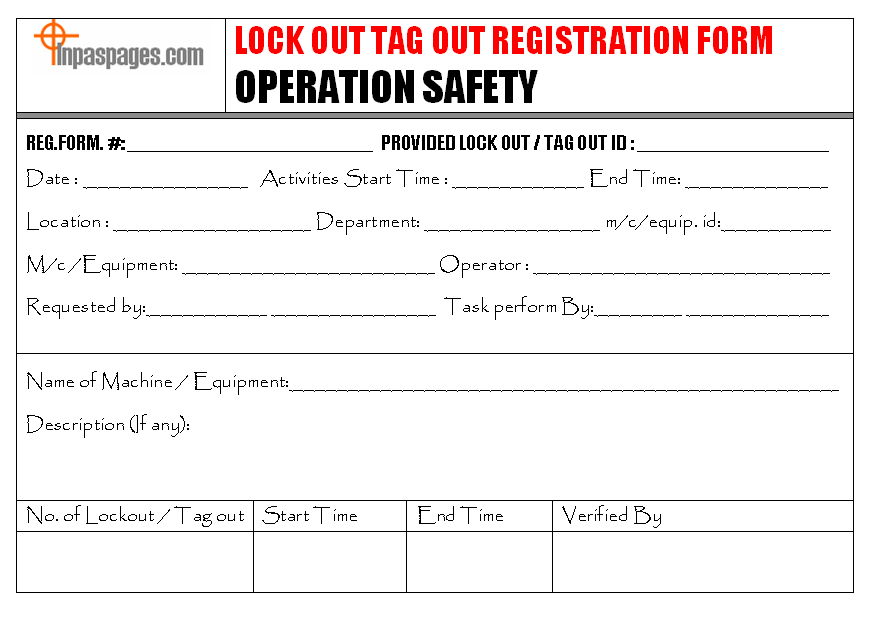
Mandatory Fields You Can’t Skip
- Date and Time of Lockout
- Start and end times must be recorded. This helps track exposure duration and identify procedural delays.
- Equipment Name/ID
- Use specific identifiers: e.g., “Conveyor Line C – Motor #4,” not “Production Line.”
- Department/Area
- Clarifies responsibility and helps safety teams analyze risk by zone.
- Authorized Employee Name & Signature
- Only trained, authorized personnel can perform LOTO. Their signature binds the record.
- Type of Energy Isolated
- List all: electrical, hydraulic, pneumatic, mechanical, thermal, chemical.
- Lock/Tag Number
- Each lock should have a unique ID tied to the employee. This avoids confusion during group lockouts.
- Reason for Lockout
- Maintenance, repair, cleaning, etc. Be specific: “Replace drive belt” vs. “Service.”
- Verification of Isolation
- A checkbox or line for confirming zero energy state (e.g., “Tested with voltmeter”).
- Time of Unlock & Employee Signature
- Critical for closure. Never allow retroactive logging.

Common Mistakes That Invalidate Your LOTO Log
Even with a good form, execution failures undermine its value. Here are frequent issues that turn compliant-looking logs into liabilities:
- Backdating entries – Filling out the form after the fact leads to inaccurate times or missing data.
- Using vague equipment descriptions – “Machine in back room” won’t pass an OSHA review.
- Failing to list all energy types – Skipping hydraulic pressure because it “wasn’t relevant” violates protocol.
- Group lockout without individual logs – Each worker must apply their own lock and be listed.
- No verification proof – Saying “energy isolated” without confirmation steps is insufficient.
One manufacturing plant was fined $78,000 after an employee was injured during servicing. The log showed a lockout, but no verification step was documented. OSHA ruled the procedure incomplete—because the log didn’t prove it.
Real-World Example: Using the LOTO Log in Daily Operations
Let’s walk through a real scenario at a food processing facility:
Situation: A technician needs to clear a jam in a packaging machine.
- Initiate Lockout
- The technician retrieves their personal lock and tag. On the log form, they write:
- - Date: 2025-04-05
- - Start Time: 10:15 AM
- - Equipment: Packaging Line B – Auger Feeder (ID: PF-204)
- - Department: Packaging
- - Energy Types: Electrical (480V), Mechanical (rotating auger)
- - Reason: Clear material jam
- - Lock Number: LK-882
- - Signature: J. Rivera
- Isolate and Verify
- Shuts off power at the disconnect, applies lock and tag, then tests the control panel to confirm no response. Notes: “Verified zero voltage with multimeter.”
- Perform Work
- Clears jam, inspects for wear.
- Restore Service
- At 10:42 AM, confirms area is clear, removes lock, signs log for unlock time.
This entry is now part of the facility’s permanent safety record. If questioned, it proves full compliance.
Digital vs. Paper Lockout Tagout Log Forms
The shift from paper to digital logging is accelerating—but not every solution fits every operation.
| Factor | Paper Logs | Digital Logs |
|---|---|---|
| Setup Cost | Low | Moderate to high |
| Accessibility | Local only | Cloud-based, real-time |
| Searchability | Manual | Instant search by equipment or name |
| Audit Readiness | Requires scanning | Exportable, timestamped |
| Risk of Loss | High (fires, spills) | Low (backups, permissions) |
| Integration | None | With CMMS, EAM, safety platforms |
Reality check: A paper log left on a clipboard near a press can get damaged, lost, or altered. A digital form synced to a tablet or phone ensures data integrity and immediate access.
However, digital tools require training, devices, and network access. In high-dust or wet environments, rugged tablets and offline-capable apps are essential.
Top 5 Lockout Tagout Log Solutions (Digital & Printable)
Not all forms are created equal. These options balance compliance, usability, and adaptability.
- SafetyCulture (iAuditor)
- - Cloud-based LOTO log with photo uploads, auto-timestamps, and PDF export
- - Integrates with maintenance workflows
- - Best for: Mid to large facilities wanting full digital transformation
- EHS Insight
- - Full EHS platform with customizable LOTO log templates
- - Supports group lockout tracking and audit trails
- - Best for: Enterprises with centralized safety teams
- Osisoft (Now AVEVA)
- - Industrial-grade system with real-time equipment status
- - Syncs lockout data with process control systems
- - Best for: Heavy manufacturing and utilities
- Free OSHA-Compliant Printable Template (NIOSH/OSHA Partners)
- - No-cost PDF with all required fields
- - Printable, laminated, or clipboard-ready
- - Best for: Small operations or backup use
- Fetra (formerly Safesite)
- - Mobile-first LOTO logging with GPS tagging
- - Simple UI for fast field use
- - Best for: Field service teams and distributed sites
Choose based on your scale, tech readiness, and integration needs. Even a basic printable form beats no form—but digital is the future.
How to Integrate the LOTO Log into Your Safety Culture
A form is only as strong as the process behind it.
- Train employees to log in real time – Never during breaks or after shift.
- Audit logs monthly – Spot missing entries, vague descriptions, or skipped verification.
- Include log review in incident investigations – It’s often the first document investigators request.
- Post logs near equipment or in digital dashboards – Visibility reinforces accountability.
One plant reduced LOTO violations by 72% simply by requiring supervisors to review logs each morning and discuss one entry in safety huddles.
Culture isn’t built with posters—it’s built with consistent, visible actions. The log form is a daily ritual that reinforces discipline.
Final Thoughts: Treat the Log Like a Legal Document
The lockout tagout log form is more than a compliance box to check. It’s a living document that protects lives and shields organizations from liability. Whether paper or digital, generic or custom, it must be accurate, complete, and accessible.
Don’t wait for an incident or audit to discover flaws in your logging process. Review your current form today. Does it capture all required elements? Is it used consistently? Can you retrieve a log from three months ago in under two minutes?
Fix the gaps now. Because when something goes wrong, the first question won’t be “Was the machine locked out?” It’ll be “Where’s the log?”
FAQs
What is a lockout tagout log form used for? It documents when and how energy isolation was performed on equipment, who applied the lock, and verification steps taken.
Who should fill out the LOTO log form? Only authorized employees trained in lockout tagout procedures should complete the form.
How long should LOTO logs be kept? OSHA requires at least one year of records, but retaining them for the equipment’s lifespan is safer for liability.
Can you use a digital LOTO log for compliance? Yes, digital logs are compliant if they include all required fields, are tamper-proof, and time-stamped.
Do you need a log for every lockout? Yes, every energy control procedure must be documented, even for brief maintenance tasks.
What happens if the LOTO log is missing or incomplete? OSHA may cite the facility for noncompliance, and incident investigations could rule the procedure invalid.
Can multiple workers use the same log entry during group lockout? No—each worker must apply their own lock and be individually listed on the log.
FAQ
What should you look for in Lockout Tagout Log Form: Essential Template & Best Practices? Focus on relevance, practical value, and how well the solution matches real user intent.
Is Lockout Tagout Log Form: Essential Template & Best Practices suitable for beginners? That depends on the workflow, but a clear step-by-step approach usually makes it easier to start.
How do you compare options around Lockout Tagout Log Form: Essential Template & Best Practices? Compare features, trust signals, limitations, pricing, and ease of implementation.
What mistakes should you avoid? Avoid generic choices, weak validation, and decisions based only on marketing claims.
What is the next best step? Shortlist the most relevant options, validate them quickly, and refine from real-world results.