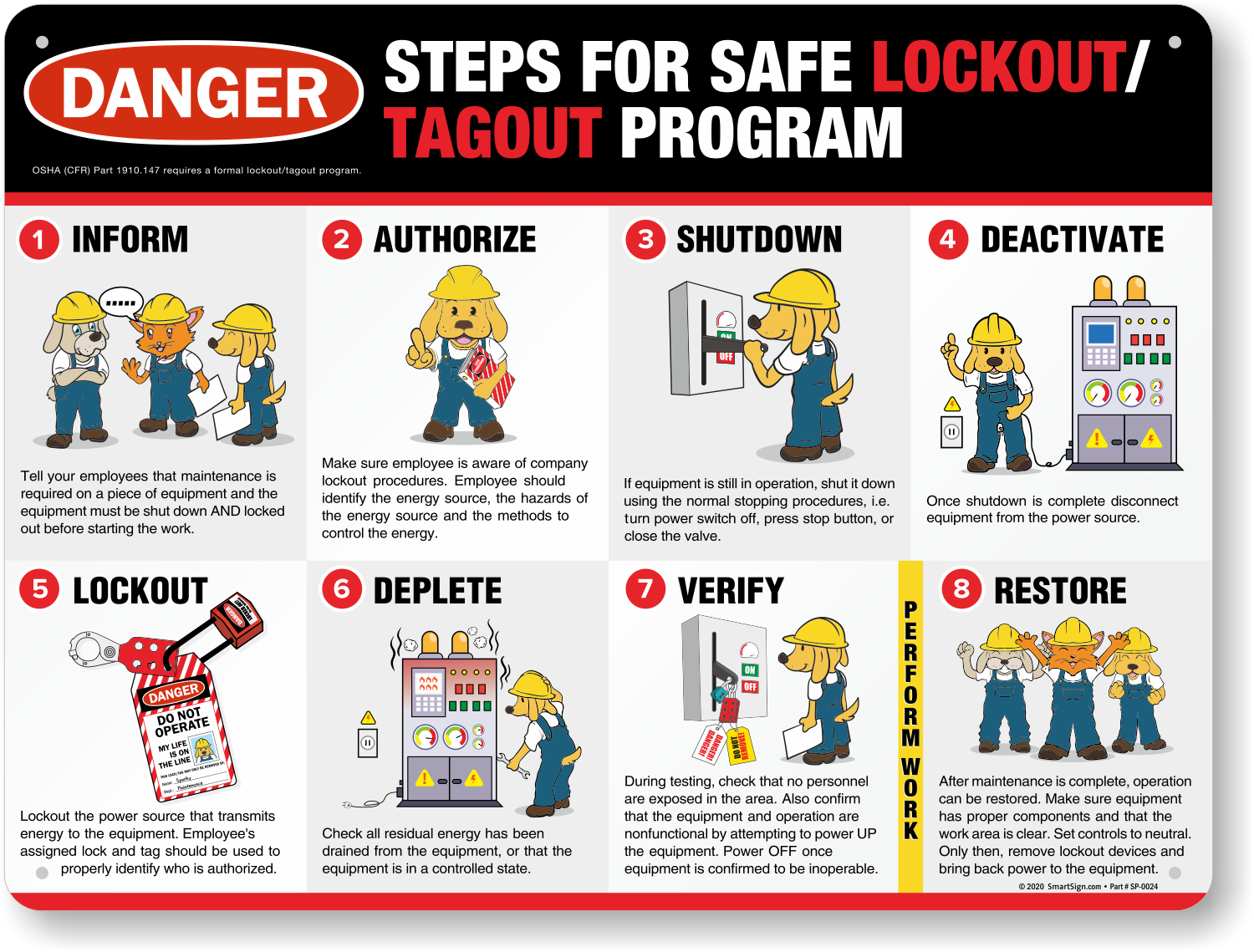
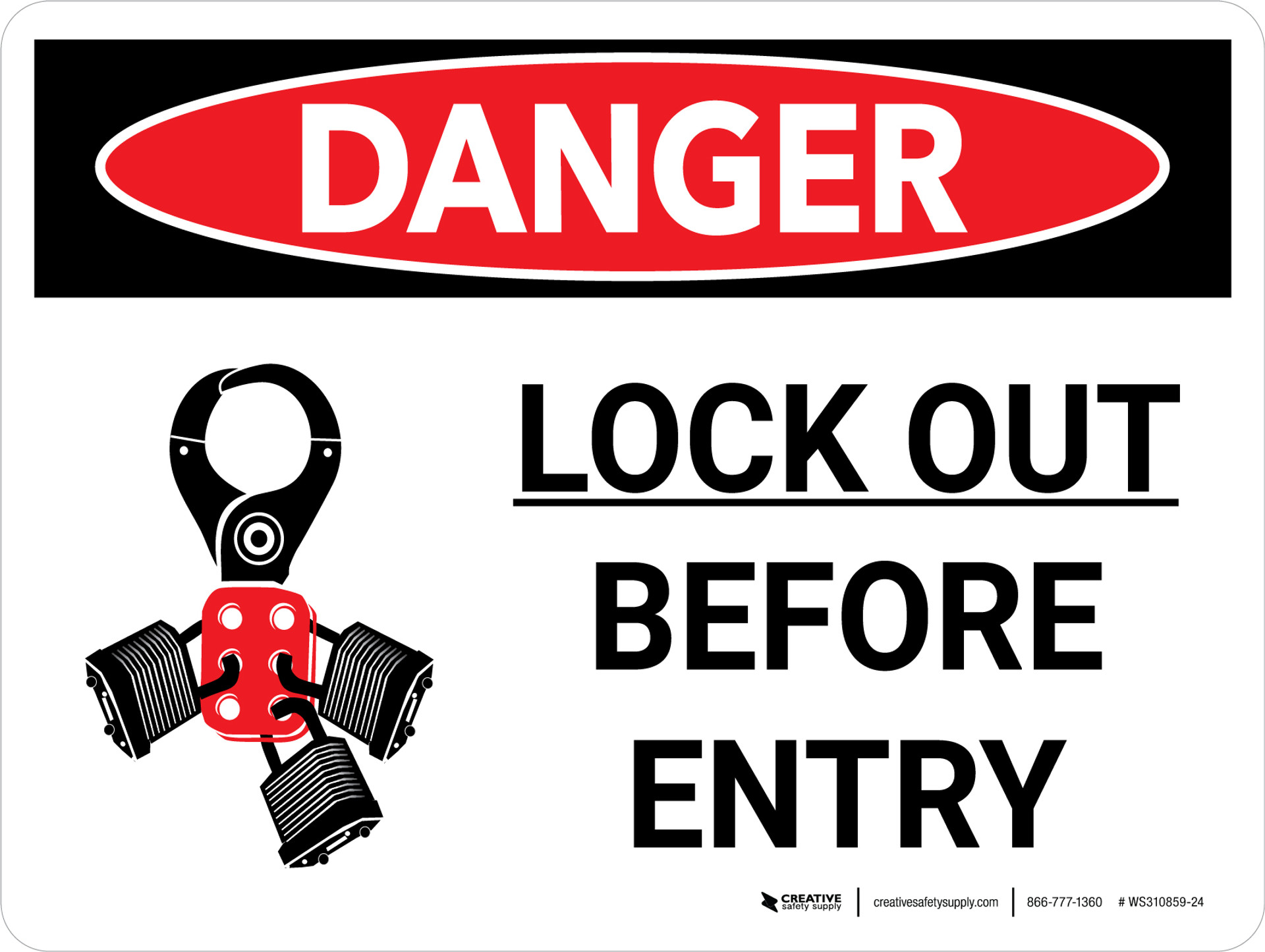
Workers getting injured during equipment maintenance isn’t just tragic—it’s preventable. One of the most effective safeguards is the Lock Out Tag Out (LOTO) procedure, and at the heart of many LOTO programs sits a simple but critical tool: the log book. Yet, in too many facilities, the log book is treated as an afterthought—filled out late, skipped entirely, or used inconsistently. That’s not just a paperwork issue. It’s a safety failure waiting to happen.
A log book lock out tag out system isn’t about ticking boxes. It’s about creating an auditable trail that protects people, ensures regulatory compliance, and provides clarity when machines are down for service. When used correctly, it transforms LOTO from a fragmented practice into a documented, accountable process.
This guide dives into why the log book matters, how to implement it effectively, and where most organizations go wrong—even when they think they’re compliant.
Why a Log Book is Essential in LOTO Programs
Lock Out Tag Out procedures exist to isolate hazardous energy sources before maintenance or servicing. But OSHA doesn’t just require isolation—it demands documentation. That’s where the log book comes in.
A log book serves three critical functions:
- Accountability: It records who applied locks and tags, when, and for what purpose.
- Visibility: Anyone approaching a machine can check the log to see if it’s under maintenance.
- Audit Trail: During inspections or incident investigations, the log provides verifiable proof of compliance.
Without a log, LOTO becomes a memory game—one missed lock, one forgotten tag, one assumption, and someone gets hurt.
What Should a LOTO Log Book Include?
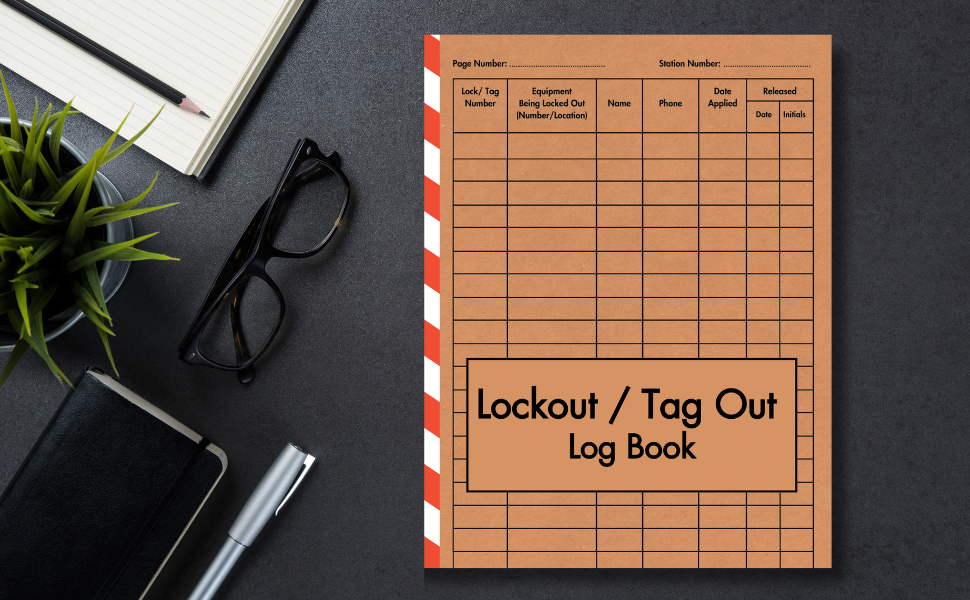
Not all log books are created equal. A poorly designed log fails to capture essential details, leaving gaps in safety. A high-functioning LOTO log should include:
- Date and time of lockout
- Employee name and ID applying the lock
- Equipment ID or name being serviced
- Type of energy source isolated (electrical, hydraulic, pneumatic, etc.)
- Lock and tag numbers used
- Nature of service or repair
- Time of lockout release
- Signature upon re-energization
Some organizations use paper log books; others have moved to digital systems. The medium matters less than consistency and accessibility.
Example: At a Midwest manufacturing plant, a mechanic returned from lunch to find his lock removed and the machine running. The paper log had no entry from the morning shift supervisor who had bypassed the procedure. The result? A fractured hand and an OSHA fine exceeding $78,000.
This scenario could have been avoided with a properly maintained log—and verification steps.
Common Mistakes in Log Book LOTO Systems

Even companies with strong safety cultures make errors. Here are the most frequent—and dangerous—mistakes:
1. Backdating Entries Filling out the log after the fact defeats the purpose. Real-time logging ensures accuracy and prevents confusion during shift changes.
2. Using Pencil or Erasable Ink Modifiable logs are unreliable. Use permanent ink or digital systems with write-once records.
3. Failing to Verify Locks Against Log Entries A lock without a matching log entry is a red flag. Supervisors should cross-check physical locks with the log during safety rounds.
4. Multiple Workers, One Entry Each employee applying a lock must be individually logged. “Joe and the crew” isn’t compliant.
5. No Training on Log Use Workers might know how to apply a lock but not how—or why—to document it. Training must cover the full LOTO workflow, including documentation.
Paper vs. Digital Log Books: Which Works Better?
The debate isn’t just about convenience—it’s about reliability and enforcement.
| Feature | Paper Log Book | Digital Log System |
|---|---|---|
| Accessibility | On-site only | Cloud-based, mobile access |
| Audit Trail | Hard to verify edits | Timestamped, user-authenticated |
| Searchability | Manual lookup | Instant search by ID, name, date |
| Integration | None | Can sync with CMMS, ERP |
| Error Rate | High (illegible writing, omissions) | Lower (structured fields, required inputs) |
While paper logs are low-cost and simple, they’re vulnerable to loss, damage, and manipulation. Digital systems—like tablet-based logs or integrated LOTO software—reduce human error and provide real-time visibility.
Use Case: A food processing facility switched to a tablet-based LOTO log. Maintenance leads could instantly see which machines were locked out across three shifts. Downtime dropped 18% because teams stopped waiting unnecessarily for “clear” signals.
That’s not just safety—it’s operational efficiency.
How to Implement a LOTO Log Book System
Success starts with structure. Follow these steps to deploy an effective system:
1. Choose the Right Format Decide between paper, digital, or hybrid. For multi-site operations, digital is almost always better.
2. Standardize the Form Create a consistent template with mandatory fields. Leave no room for ambiguity.
3. Train Everyone Include hourly workers, contractors, and supervisors. Emphasize that logging is non-negotiable.
4. Integrate with LOTO Procedures The log isn’t a separate task—it’s part of the lockout sequence. Make it a step in your written energy control plan.
5. Audit Regularly Review logs weekly. Look for patterns: missing entries, duplicate names, or inconsistent timing.
6. Enforce Accountability Treat log omissions like safety violations. Reinforce that documentation protects everyone.
Pro Tip: Place log books or tablets directly at equipment control panels. If it’s not within arm’s reach, it won’t get used.
Real-World LOTO Log Failures (And How to Avoid Them)
Case 1: The Forgotten Contractor At a chemical plant, a contractor serviced a pump but didn’t log the lockout. A full-time employee, unaware of the work, re-energized the system. The result: a severe laceration from unexpected startup.
Fix: Contractors must follow the same LOTO and logging procedures as employees. Their names and company must appear in the log.
Case 2: The Shared Lock Myth Two technicians used one lock and one log entry for a joint repair. When one left early, the remaining worker removed the lock—bypassing the “group lockout” rule.
Fix: Each worker applies their own lock and logs their own entry. The equipment stays locked until every individual removes their lock—verified in the log.
Case 3: The Invisible Log The log book was stored in a supervisor’s office, not at the machine. Technicians “forgot” to log during urgent repairs.
Fix: Logs must be at the point of use. No exceptions.
Top 5 LOTO Log & Compliance Tools
While a basic log book can be effective, many companies upgrade to tools that enhance tracking and compliance. Here are five reliable options:
- LockOut/TagOut Pro (by Seton)
- - Paper-based log with pre-numbered, tamper-resistant pages
- - Includes dual custody for supervisor and worker
- - Best for small to mid-sized facilities
- Facility Health LOTO Manager
- - Cloud-based digital log system
- - Mobile app for real-time entries and photo uploads
- - Integrates with maintenance calendars
- Sphera LOTO Solution
- - Enterprise-grade, AI-driven safety platform
- - Tracks lock usage, overdue tags, and training status
- - Ideal for large industrial operations
- iAuditor by SafetyCulture
- - Customizable LOTO checklists with log functionality
- - Offline access, automatic reporting
- - Great for audits and contractor management
- MasterLock Vault eLOTO
- - Digital lockout system with cloud logging
- - Uses Bluetooth locks synced to user accounts
- - Provides full chain-of-custody tracking
Each tool brings different strengths. The key is matching the system to your scale, risk level, and workflow complexity.
Closing the Gap: From Compliance to Culture
A LOTO log book isn’t a formality. It’s a frontline defense. When done right, it turns a procedural task into a cultural habit—where every worker knows their safety is documented, verified, and respected.
Don’t wait for an incident to audit your log system. Review it today. Check a random machine. Are the locks logged? Are the entries complete? Can a new hire follow the trail?
If the answer isn’t a clear “yes,” then your program has a blind spot.
Start by standardizing your log, training your team, and auditing weekly. Make logging as routine as wearing a hard hat. Because in the end, the best safety systems aren’t just followed—they’re trusted.
Frequently Asked Questions
What is a log book in LOTO? A log book in Lock Out Tag Out is a record that documents who locked out equipment, when, and for what maintenance, ensuring accountability and compliance.
Is a log book required by OSHA for LOTO? OSHA 1910.147 doesn’t explicitly mandate a log book, but it requires documentation of authorized employees and procedures. A log book is the most practical way to meet this requirement.
Can digital logs replace paper LOTO logs? Yes, digital logs are acceptable and often preferred. They offer better traceability, searchability, and integration with other safety systems.
Who is responsible for filling out the LOTO log? Each authorized employee performing maintenance must log their own lockout. Supervisors may verify but should not log on behalf of workers.
How long should LOTO logs be kept? OSHA recommends retaining LOTO records for at least one year, though some companies keep them for three to five years for liability and audit purposes.
Should contractors be included in the LOTO log? Yes. All personnel performing servicing, including contractors, must follow the same LOTO procedures and be logged accordingly.
Can a LOTO log help reduce equipment downtime? Yes. Clear logs prevent miscommunication, allowing operations to know exactly when equipment is safe to restart—reducing unnecessary delays.
FAQ
What should you look for in Log Book Lock Out Tag Out: A Complete Safety Guide? Focus on relevance, practical value, and how well the solution matches real user intent.
Is Log Book Lock Out Tag Out: A Complete Safety Guide suitable for beginners? That depends on the workflow, but a clear step-by-step approach usually makes it easier to start.
How do you compare options around Log Book Lock Out Tag Out: A Complete Safety Guide? Compare features, trust signals, limitations, pricing, and ease of implementation.
What mistakes should you avoid? Avoid generic choices, weak validation, and decisions based only on marketing claims.
What is the next best step? Shortlist the most relevant options, validate them quickly, and refine from real-world results.