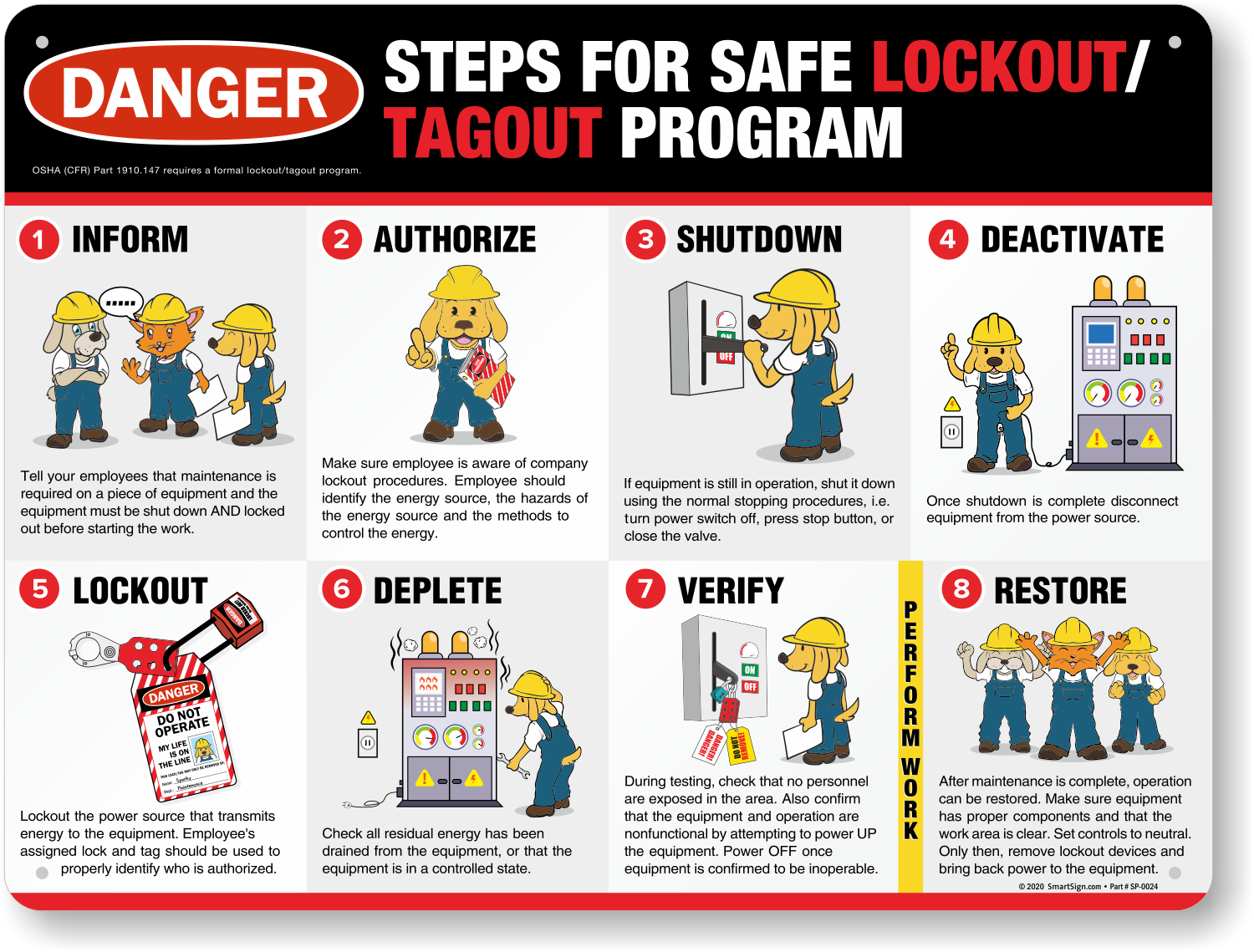
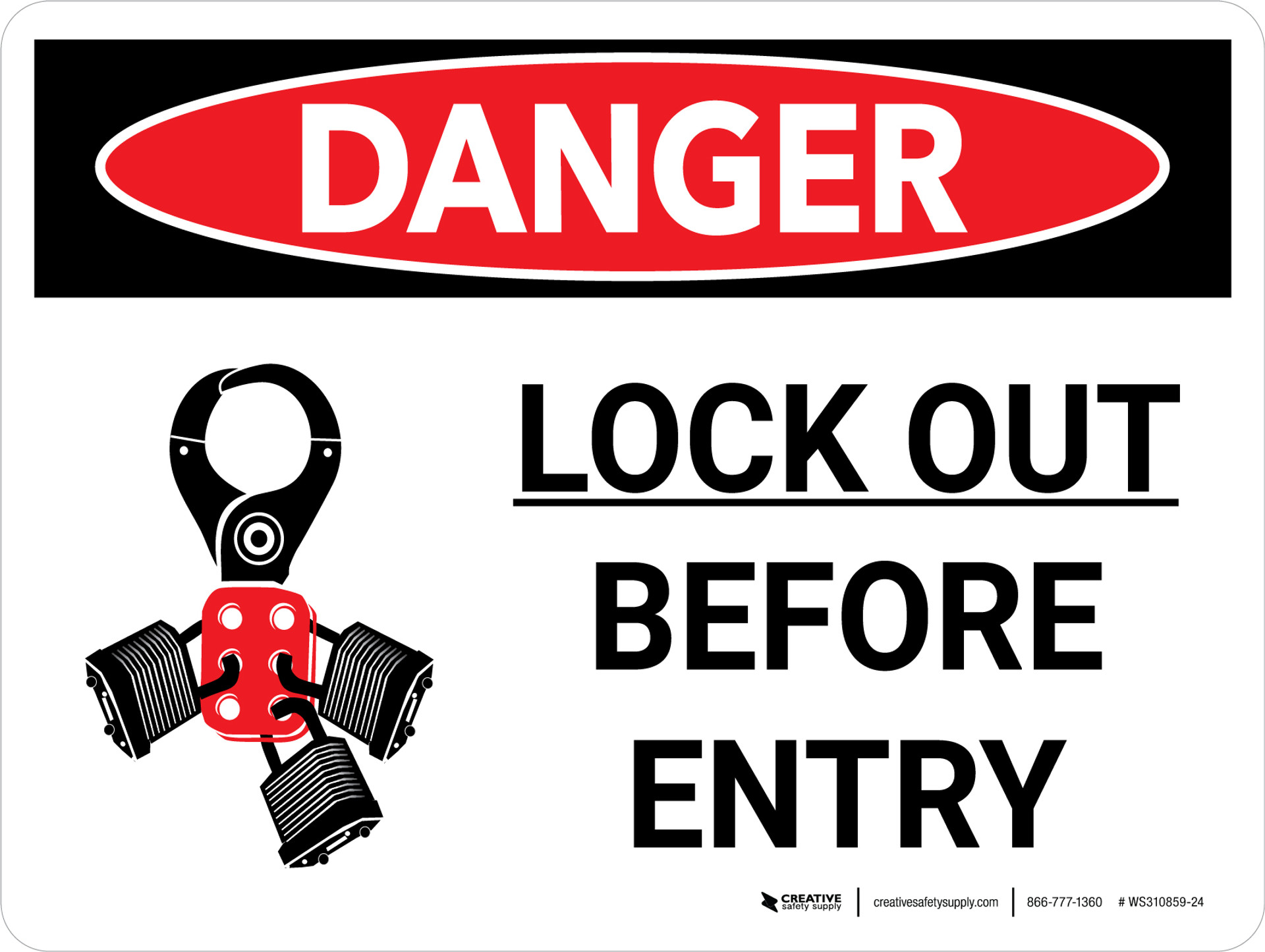
A missing or poorly designed lockout tagout (LOTO) tag can turn a routine maintenance task into a near-miss—or worse. Workers rely on these tags to confirm that machinery is de-energized, isolated, and safe to service. Yet many facilities still use handwritten scraps, generic tags, or outdated templates that fail to meet OSHA standards or real-world needs.
A well-structured lockout tagout tag template isn’t just paperwork—it's a frontline defense against electrocution, amputation, and unexpected startup. This guide delivers a practical, compliant LOTO tag template framework, along with implementation tips, common pitfalls, and real-use refinements that work in the field.
Why a Standardized LOTO Tag Template Matters
Lockout tagout procedures protect workers during servicing and maintenance of machines and equipment. While the lock physically prevents energy release, the tag communicates critical safety information. Without a consistent, informative tag, the entire system breaks down.
OSHA standard 29 CFR 1910.147 requires that tagout devices include: - The name of the authorized employee - Date and time of application - Reason for the lockout - Warning statement (e.g., “Do Not Operate”)
But compliance is just the baseline. A strong LOTO tag template enhances clarity, reduces ambiguity, and supports team accountability.
Real-World Consequences of Poor Tagging
Consider a manufacturing plant where a maintenance technician locks out a conveyor system using a blank tag with only their initials. A shift supervisor, unaware of ongoing repairs, removes the lock thinking it was left behind. The conveyor powers on—resulting in a severe hand injury.
This scenario isn’t hypothetical. Investigations by OSHA and safety boards frequently cite inadequate tagging as a root cause in industrial accidents.
A standardized template prevents such failures by ensuring every tag contains the right information, in the right format, every time.
Essential Elements of an Effective LOTO Tag Template
A good lockout tagout tag isn’t just compliant—it’s functional. It must be legible, durable, and informative under stressful or time-sensitive conditions. Below are the non-negotiable components of a high-performance template.
1. Employee Identification Every tag must clearly show the name of the authorized employee applying the lock. Include: - Full name - Employee ID (optional but recommended) - Department or work group
Tip: Use pre-printed name fields instead of handwriting to avoid illegibility.
2. Date and Time of Lock Application Precision matters. Tags should include:
- Date applied (MM/DD/YYYY)
- Exact time (HH:MM)
- Expected duration of work
This helps shift supervisors assess whether a lockout is still valid or needs follow-up.

3. Equipment Identification Vague labels like “Machine 3” won’t suffice. The tag must specify: - Equipment name (e.g., “Hydraulic Press – Line B”) - Serial number or asset ID - Location (e.g., “North Assembly Room, Floor 2”)
Best Practice: Pair the tag with a site-specific equipment numbering system for faster identification.
4. Reason for Lockout A short but clear explanation of why the equipment is locked out: - “Motor replacement in progress” - “Guard repair – access panel open” - “Electrical panel inspection”
This prevents assumptions and supports coordination during shift changes.
5. Energy Type(s) Isolated List all energy sources controlled:
- Electrical (120V, 480V)
- Hydraulic
- Pneumatic
- Mechanical
- Thermal
This reinforces hazard awareness and ensures full isolation.
6. Prominent Warning Statement Standardized warnings should be bold and visible:
- “DO NOT OPERATE – EQUIPMENT UNDER MAINTENANCE”
- “WARNING: PERSONAL LOCKOUT IN EFFECT”
- “UNAUTHORIZED REMOVAL PROHIBITED”
Use ANSI-compliant signal words: “Danger,” “Warning,” or “Caution” based on risk severity.
7. Contact Information Include how to reach the authorized employee:
- Phone extension or mobile
- Supervisor’s name and contact
- Emergency escalation path
This supports coordination without compromising safety.
Practical LOTO Tag Template Examples
Here are two real-world-ready lockout tagout tag templates you can adapt immediately.
Basic LOTO Tag Template (Text-Based)
| DO NOT OPERATE – EQUIPMENT LOCKED OUT |
Name: ___________________________ Employee ID: _______ Department: ______________________
Equipment: ________________________ Asset ID: ___________ Location: ___________
Date: ___/___/___ Time: _____ Expected Work Duration: _________
Reason for Lockout: [ ] Motor Replacement [ ] Guard Repair [ ] Electrical Inspection [ ] Mechanical Service [ ] Other: ________________________
Energy Sources Isolated: [ ] Electrical [ ] Hydraulic [ ] Pneumatic [ ] Mechanical [ ] Thermal [ ] Other: _______
Contact: ___________ Supervisor: ___________ Emergency: ___________
Visual LOTO Tag Template (Printed Tag) For facilities using printed or laminated tags, consider a color-coded format: - Red border: High-risk equipment - Yellow background: Standard maintenance - Green checkmarks for verified isolations
Include a QR code linking to the full LOTO procedure or work order—ideal for digital integration.
Common Mistakes That Undermine LOTO Tags
Even with a solid template, execution gaps can render tags ineffective. Avoid these frequent errors:
1. Using Erasable or Felt-Tip Pens Tags exposed to oil, heat, or moisture become unreadable. Use water-resistant tags with permanent marker compatibility.
2. Incomplete Equipment Details “Pump #2” is not enough. Always include asset ID and location to prevent misidentification.
3. Blank Tags Left in Place Never leave pre-hung tags blank. They become ignored clutter and weaken safety culture.
4. One Tag for Multiple Workers Each authorized employee must apply their own lock and tag. Group lockout boxes with individual tags solve this.

5. Failure to Train on Tag Use Workers must understand not just how to fill out a tag, but why each field matters. Reinforce this in LOTO training sessions.
The rise of digital work permits and mobile safety apps has introduced electronic LOTO tags. While promising, they’re not a one-size-fits-all solution.
| Feature | Physical Tags | Digital Tags |
|---|---|---|
| Durability | High (if weather-resistant) | Medium (depends on device) |
| Visibility | Immediate, on-site | Requires device access |
| Audit Trail | Manual logging | Automatic timestamping |
| Multi-user Support | Lockout hasps + multiple tags | Cloud-based sharing |
| OSHA Compliance | Fully compliant | Compliant if tamper-proof and accessible |
When to Use Each
Hybrid Approach: Use physical tags as primary indicators, backed by digital logs for tracking and reporting.
5 Ready-to-Use LOTO Tag Templates (Free Resources)
Below are five reliable sources for downloadable, customizable lockout tagout tag templates:
- OSHA.gov
- - Offers basic, compliant tag designs
- - Free PDF downloads
- - Ideal for small operations starting their LOTO program
- Creative Safety Supply
- - Pre-printed, ANSI-compliant tags
- - Available in multiple languages
- - Supports barcode integration
- EHS Docs
- - Editable Word and Excel templates
- - Includes group lockout and shift-change versions
- - Subscription-based but highly detailed
- SafetySign.com
- - Customizable online tag builder
- - Print-on-demand with company logo
- - Durable, weather-resistant materials
- LockoutTagout.com (by Brady)
- - Industry-specific templates (manufacturing, energy, labs)
- - QR-enabled smart tags
- - Integration with lockout stations
Pro Tip: Audit your current tagging system against these templates annually. Update designs to reflect changes in equipment, workforce, or procedures.
How to Implement a LOTO Tag Template System
Adopting a template is just the first step. To ensure effectiveness:
- Standardize Across Sites
- Use the same format in all facilities to reduce confusion and improve training.
- Pilot Test with Maintenance Teams
- Get feedback from technicians on layout, durability, and ease of use.
- Integrate with LOTO Procedures
- Reference the tag template in your written energy control plan.
- Audit Monthly
- Randomly check 5–10 tags per site for completeness and accuracy.
- Train and Retrain
- Include tag completion in initial and annual LOTO training.
- Store Tags Securely
- Keep blank tags in a controlled area—only accessible to authorized personnel.
Closing: Make Your LOTO Tags Work as Hard as Your Team
A lockout tagout tag template isn’t a formality—it’s a communication tool, a legal record, and a lifesaving signal. A well-designed template stops assumptions, clarifies responsibility, and supports a culture where safety is visible, not just spoken.
Don’t settle for scribbled warnings or generic tags. Customize a template that meets OSHA requirements and field realities. Print it, train on it, and audit it. Because when the power’s off and the maintenance begins, that tag might be the only thing standing between a safe repair and a preventable injury.
Start with the template above, adapt it to your operations, and make every tag a standard of safety.
Frequently Asked Questions
What should be on a lockout tagout tag? A LOTO tag must include the employee’s name, date/time of application, equipment ID, reason for lockout, energy types isolated, and a clear warning statement.
Can you reuse a LOTO tag? No. Tags are single-use and must be discarded after the lockout is removed to prevent confusion.
Are digital LOTO tags OSHA-compliant? Yes, if they are tamper-proof, permanently stored, and accessible to all authorized employees and inspectors.
Who can remove a lockout tag? Only the authorized employee who applied the tag may remove it, unless a formal re-authorization process is followed.
Do LOTO tags need to be red? No, but they must be standardized, easily identifiable, and more durable than ordinary tags. Red is common but not required.
Can multiple people use the same lockout tag? No. Each worker must apply their own lock and tag. Use a group lockout box for team maintenance.
Where should LOTO tags be placed? Tags must be affixed to the lock or energy-isolating device, in clear view, and before work begins.
FAQ
What should you look for in Lockout Tagout Tag Template: A Practical Guide for Safety Teams? Focus on relevance, practical value, and how well the solution matches real user intent.
Is Lockout Tagout Tag Template: A Practical Guide for Safety Teams suitable for beginners? That depends on the workflow, but a clear step-by-step approach usually makes it easier to start.
How do you compare options around Lockout Tagout Tag Template: A Practical Guide for Safety Teams? Compare features, trust signals, limitations, pricing, and ease of implementation.
What mistakes should you avoid? Avoid generic choices, weak validation, and decisions based only on marketing claims.
What is the next best step? Shortlist the most relevant options, validate them quickly, and refine from real-world results.