A lockout tagout program PDF is often treated as a compliance checkbox—an easily downloaded form filled out once and filed away. But real safety doesn’t live in a static document. It lives in consistent action, clear accountability, and procedures tailored to the specific machines and workflows of your facility.
Too many organizations download generic LOTO program PDFs only to realize they lack the specificity needed for actual implementation. Others assume that printing a few pages satisfies OSHA standards—until an audit or, worse, an incident exposes the gaps.
A truly effective lockout tagout program PDF should serve as both a reference and a living tool. It must outline clear procedures, assign responsibilities, and include machine-specific energy control plans. This guide breaks down what to include, how to use templates effectively, and common missteps that undermine even the most well-intentioned programs.
What Belongs in a Lockout Tagout Program PDF
Your LOTO program PDF isn’t just a form—it’s the backbone of your energy control system. It should go beyond theory and provide actionable guidance for employees. Here’s what must be included:
1. Program Scope and Purpose Define what the program covers: types of machines, energy sources (electrical, hydraulic, pneumatic, chemical, etc.), and who is responsible. This section sets expectations and clarifies that the program applies to servicing and maintenance, not normal production operations.
Example: "This LOTO program applies to all maintenance work on conveyor systems, packaging machines, and robotic arms where unexpected energization could cause injury."
2. Roles and Responsibilities Clearly identify:
- Authorized employees (those who perform lockout)
- Affected employees (those who operate or use equipment)
- Supervisors (responsible for enforcement and training)
Include job titles or roles, not just names, to maintain clarity during staffing changes.
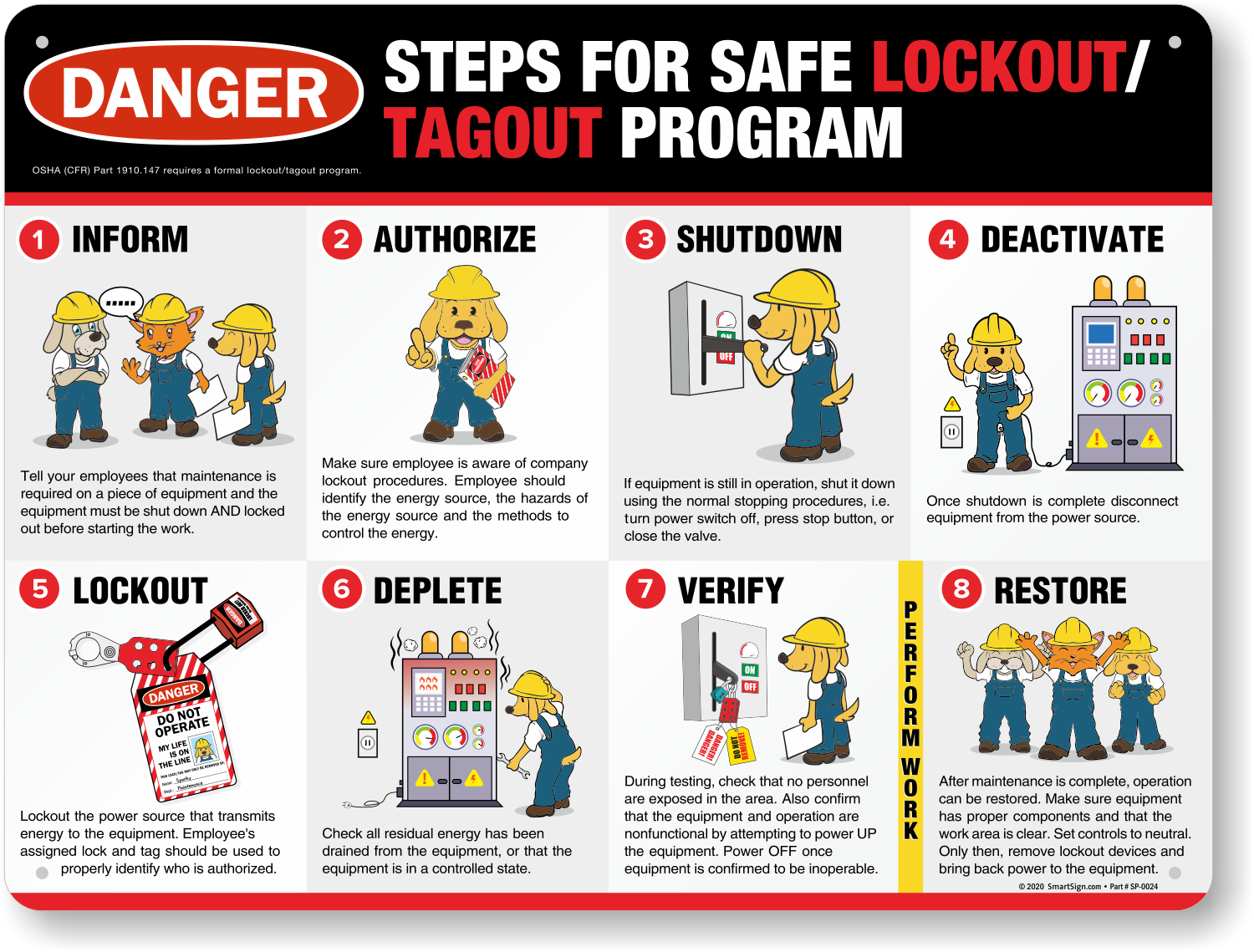
3. Energy Control Procedures (ECPs) Each machine or piece of equipment should have a written ECP detailing: - Type and magnitude of energy sources - Steps to shut down, isolate, lock out, and verify de-energization - Specific lockout devices used - Steps for safe re-energization
Common mistake: Writing one generic procedure for "all machines." A hydraulic press requires different steps than a centrifuge. Generic = ineffective.
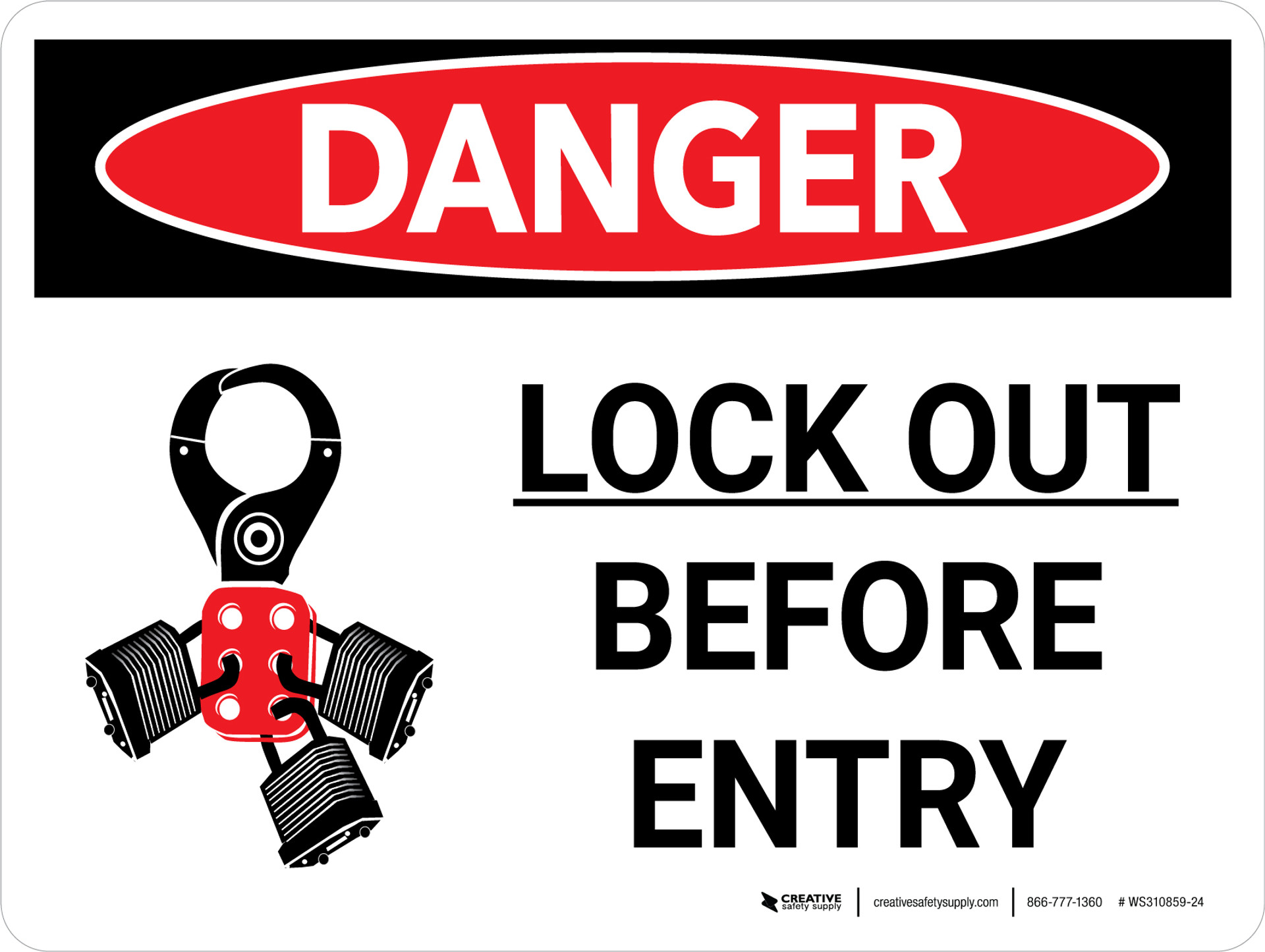
4. Lockout Device Specifications List acceptable locks, tags, hasps, valve covers, and plug locks. Include photos if possible. Specify that locks must be: - Durable - Standardized (same color/style) - Identifiable (employee name, department, contact)
5. Periodic Inspections OSHA requires annual inspections of each energy control procedure. Record: - Date of inspection - Machine/area reviewed - Inspector and employee involved - Corrections made
Your program PDF should include a checklist for these audits.

6. Training and Retraining Requirements Document initial and retraining frequency (minimum annual refreshers or when roles/processes change). Include sign-off sheets—digital or printed—as part of your PDF appendix.
How to Use a Lockout Tagout Program PDF Template
Templates are useful starting points, but they must be customized. Here’s how to adapt a downloadable LOTO program PDF:
- Replace placeholders with site-specific details
- Don’t leave “Company Name” or “Facility Address” as-is. Update machine lists, energy types, and contact information.
- Add machine-specific procedures
- Attach or embed ECPs for high-risk equipment. Use numbered steps and diagrams where helpful.
- Integrate with existing safety documentation
- Link your LOTO program to your hazard communication plan, PPE requirements, and emergency response protocols.
- Make it accessible
- Store the PDF where employees can access it—on tablets near machinery, intranet portals, or printed in control rooms.
- Review and revise annually
- A stagnant PDF is a liability. Update it after incidents, equipment changes, or audit findings.
Workflow tip: Assign a safety coordinator to own the LOTO program PDF. Their job: ensure updates, conduct spot checks, and verify training records.
Common Mistakes That Undermine LOTO Programs
Even with a solid PDF, execution often fails. These are the most frequent issues:
1. Skipping the Verification Step
Many workers lock out a machine but fail to verify zero energy—pressing a start button or testing a line. This step is non-negotiable.
2. Using Tags Without Locks Tags alone don’t isolate energy. They’re warnings, not controls. If a tag can be removed without a lock, it’s not compliant.
3. Group Lockout Confusion In team maintenance, each worker must apply their own lock. A single lock used by all—or a "master lock"—violates OSHA’s individual control principle.
4. Poor Device Management Missing locks, faded tags, or shared keys defeat the purpose. Maintain a lockout station with labeled locks and spare tags.
5. Incomplete Training Affected employees often don’t understand their role. They need to know they can’t restart equipment or remove tags—even if maintenance appears done.
Real-world case: A worker bypassed a locked conveyor because “it looked fine.” The technician inside was injured when the belt engaged. The LOTO program existed—but training didn’t stick.
Top 5 Sources for Lockout Tagout Program PDF Templates
While customization is essential, starting with a solid template saves time. Here are reliable sources:

| Source | Features | Best For |
|---|---|---|
| OSHA.gov | Free, compliant with 29 CFR 1910.147, includes sample language | Organizations needing a regulatory baseline |
| National Safety Council (NSC) | Editable templates, training materials, inspection checklists | Companies building comprehensive programs |
| EHS Daily Advisor | Industry-specific samples (manufacturing, chemical, etc.) | Facilities with diverse equipment types |
| Creative Safety Supply | Visual guides, bilingual templates, lockout kits | Sites prioritizing clarity and accessibility |
| SafetySmart | Online builder with PDF export, automated reminders | Teams wanting digital integration |
Pro tip: Download multiple templates to compare structure and language. Combine the best elements into your own master version.
Machine-Specific Procedures: The Missing Link
Most generic LOTO program PDFs fail because they skip detailed equipment procedures. Consider this real-world example:
Machine: Industrial Punch Press Energy Sources: Electrical (480V), hydraulic (1,200 psi), mechanical (flywheel)
- Steps in the ECP (included in the PDF):
- Notify affected employees of upcoming maintenance.
- Press emergency stop buttons.
- Shut off main disconnect switch.
- Close and lock hydraulic valve with a bolt-on lockout.
- Engage flywheel brake and secure with a hasp and lock.
- Try to start machine via control panel—verify no movement.
- Begin maintenance only after verification.
Without this level of detail, workers guess. Guessing leads to oversights.
Limitation: Not all machines need full ECPs. Use risk assessment to prioritize high-hazard equipment first.
Digital vs. Print: Where Should Your LOTO Program PDF Live?
The format affects usability:
- Printed PDFs are reliable during power outages but hard to update.
- Digital PDFs (on tablets or kiosks) allow instant revisions but depend on technology.
The best approach? Hybrid access. Keep printed versions in maintenance lockers and digital copies on mobile devices. Use version control (e.g., “LOTO Program v3.1 – Updated April 2025”) to prevent confusion.
Insight: Facilities using digital workflows report 30% faster LOTO execution and fewer missed steps (per a 2024 EHS Today survey).
Building a Culture Around the LOTO Program PDF
A document doesn’t change behavior—leadership does. Use your LOTO program PDF as a training centerpiece:
- Review it during safety meetings.
- Walk through procedures before maintenance.
- Post excerpts near high-risk machines.
Encourage questions. If an employee says, “This step isn’t clear,” treat it as feedback, not ignorance.
Example: A plant in Ohio reduced LOTO violations by 70% after supervisors started monthly “procedure walkthroughs” using the PDF as a guide.
Final Steps: From PDF to Practice
A lockout tagout program PDF is only valuable if it’s used. Follow these actions to move from paperwork to protection:
- Customize any template with your site’s equipment, roles, and risks.
- Train all affected and authorized employees using the document.
- Conduct a mock lockout to test clarity and execution.
- Inspect procedures annually with real employees, not just paperwork.
- Update the PDF after changes or near-misses.
Don’t let your LOTO program gather digital dust. Make it visible, usable, and regularly reviewed.
Your team’s safety depends not on having a PDF—but on living it.
Frequently Asked Questions
What is the OSHA standard for lockout tagout? OSHA 29 CFR 1910.147 outlines the Control of Hazardous Energy. It requires written procedures, employee training, and periodic inspections.
Can a LOTO program PDF be digital only? Yes, if employees can reliably access it during maintenance. OSHA accepts electronic formats, provided they’re secure and updatable.
Who needs to be trained under a LOTO program? Authorized employees (perform lockout) and affected employees (operate equipment). Training must be role-specific.
How often should LOTO procedures be reviewed? Annually, at minimum. More frequently if there are process changes, new equipment, or incidents.
What’s the difference between lockout and tagout? Lockout physically isolates energy (e.g., padlock on a switch). Tagout uses warning tags but doesn’t physically block energy—less secure, allowed only in specific cases.
Can one person remove another’s lock? Only under a formal "authorized removal" process, involving verification that the worker is not at risk. Never assume consent.
Are small machines exempt from LOTO? No. If servicing involves hazardous energy, LOTO applies—even for compact equipment like bench grinders or mixers.
FAQ
What should you look for in Lockout Tagout Program PDF: Essential Guide & Templates? Focus on relevance, practical value, and how well the solution matches real user intent.
Is Lockout Tagout Program PDF: Essential Guide & Templates suitable for beginners? That depends on the workflow, but a clear step-by-step approach usually makes it easier to start.
How do you compare options around Lockout Tagout Program PDF: Essential Guide & Templates? Compare features, trust signals, limitations, pricing, and ease of implementation.
What mistakes should you avoid? Avoid generic choices, weak validation, and decisions based only on marketing claims.
What is the next best step? Shortlist the most relevant options, validate them quickly, and refine from real-world results.